
Scan Configuration
The scan configuration lets you automatically transform barcodes before they are passed to the app. You define rules that determine when a configuration applies, and actions that modify the scanned text.
Where to find it
Settings → Keyboard → Scan Configuration
How it works
Barcode scanned
       │
       ▼
 Which rule matches?  ──►  matching configuration found
       │
       ▼
 Execute actions in order
       │
       ▼
 Pass result to app
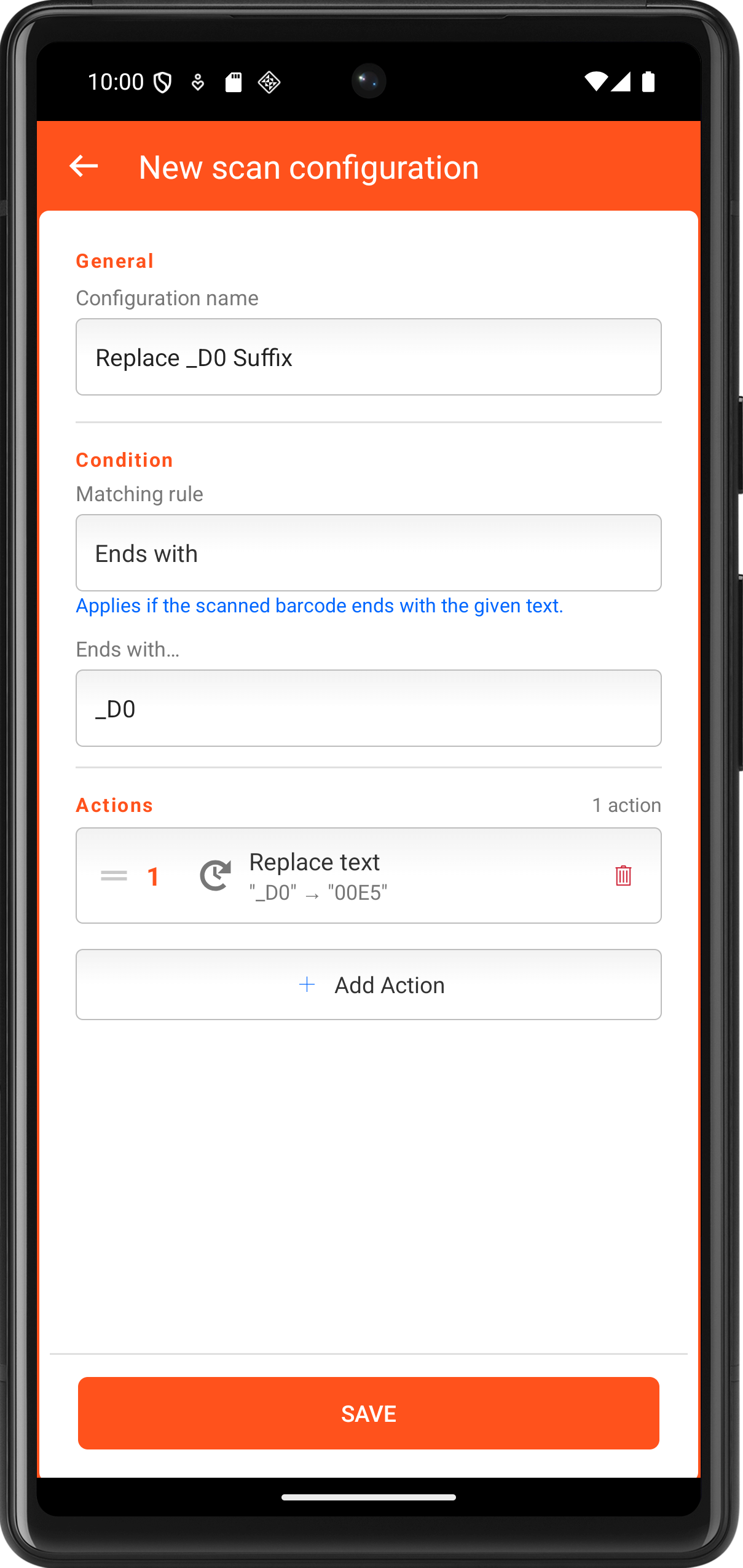
Each configuration consists of:
- Name - shown in the overview list
- Rule - when does this configuration apply?
- Actions - what should happen to the barcode?
Which scanners does the configuration apply to?
For scanners that send their results to the app via intent (e.g. Honeywell, CipherLab, Datalogic, Keyence, Zebra DataWedge), every scan runs through the scan configuration automatically.
Scanners paired as a keyboard (HID) – for example handheld scanners connected via Bluetooth – type their result like a keyboard. To send those scans through the scan configuration as well, there is a separate setting:
Where to find it
Settings → Keyboard → Scan configuration for keyboard scanners
The option is off by default. It can be distributed via device management (MDM) using the key flxHidScanConfig (bool).
Caution
While the option is on, an external keyboard is not meant for free-text entry: normal keyboard input is then treated as a scan and run through the rules as well.
Creating a configuration
- Open Scan Configuration in settings
- Tap Add scan configuration
- Enter a name (e.g. "EAN-13")
- Choose a rule (e.g. "Exact - 13 characters")
- Add one or more actions
- Tap Save
Rules
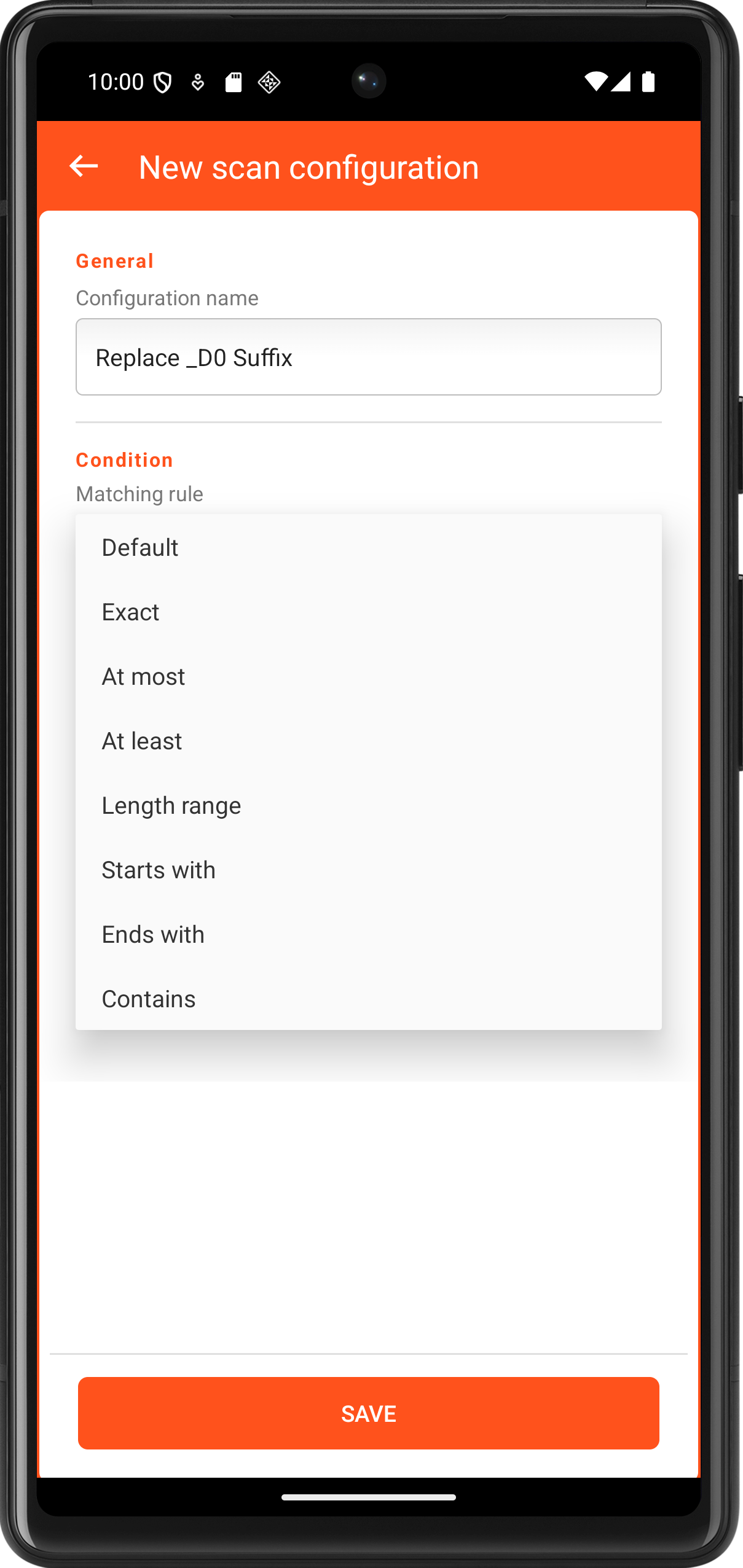
The rule defines which barcodes this configuration applies to. If multiple configurations match, the most specific rule wins.
Rule priority
| Priority | Rule types |
|---|---|
| Highest | Exact, Starts with, Ends with, Contains, Length range |
| Medium | At most, At least |
| Lowest | Default (fallback) |
Rule types
| Rule | Description | Parameter |
|---|---|---|
| Default | Always applies when no other rule matches | - |
| Exact | Only when the barcode length is exactly X characters | Number X |
| At most | When the length is ≤ X | Number X |
| At least | When the length is ≥ X | Number X |
| Length range | When the length is between min and max (inclusive) | Min, Max |
| Starts with | When the barcode starts with a specific text | Text |
| Ends with | When the barcode ends with a specific text | Text |
| Contains | When the barcode contains a specific text | Text |
Example
You have EAN-13 barcodes (always 13 characters) and EAN-8 barcodes (always 8 characters). Create two configurations with rule Exact 13 and Exact 8 - each applies only to the matching type.
Actions
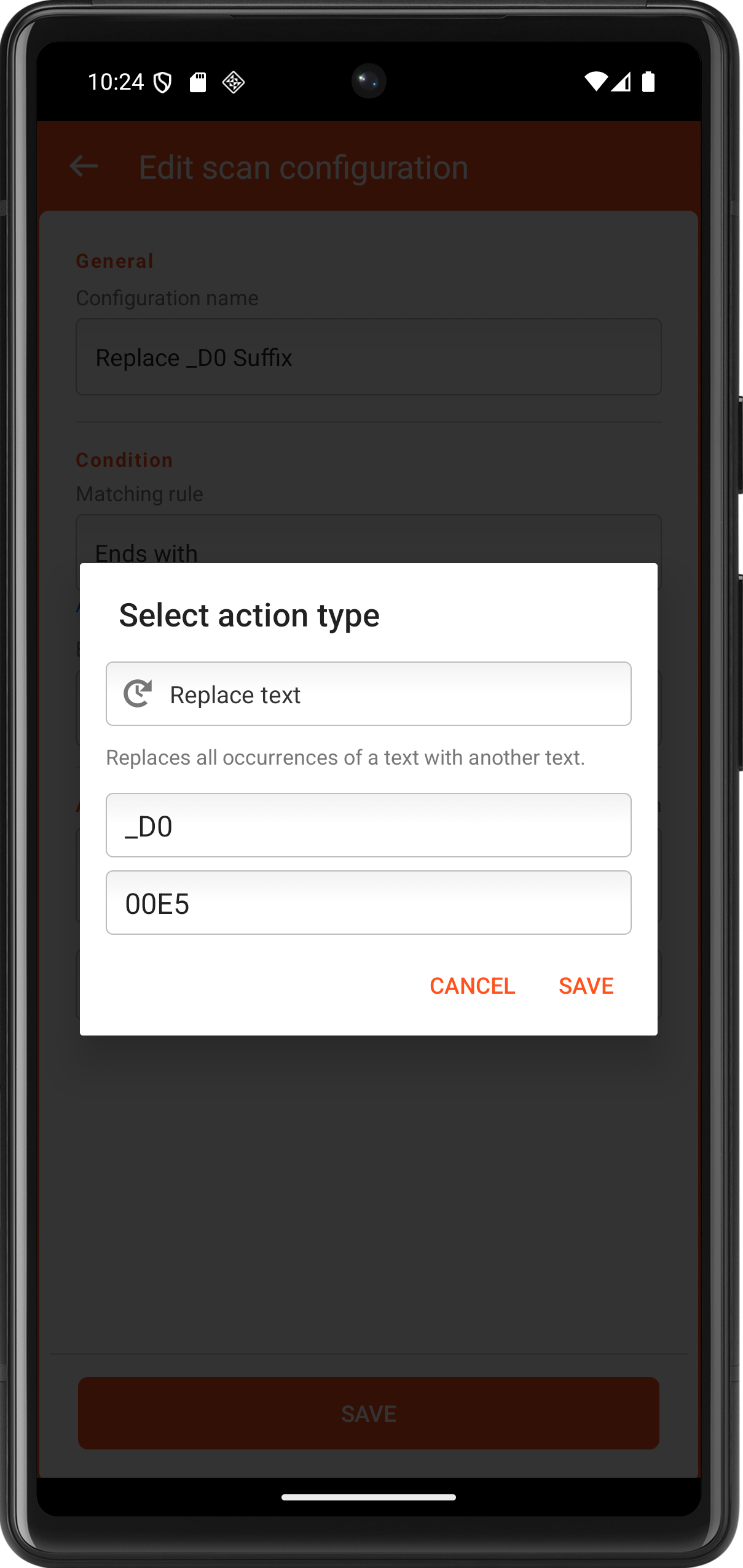
Actions modify the scanned text. They are executed in the displayed order - the result of one action is the input for the next.
The order can be changed via drag & drop (long-press the handle icon ☰ on the left).
Remove characters
| Action | Description | Parameter | Example |
|---|---|---|---|
| Cut first characters | Removes the first X characters | Count | 001234 → 1234 (X=2) |
| Cut last characters | Removes the last X characters | Count | 12345678 → 123456 (X=2) |
| Use first characters | Keeps only the first X characters | Count | ABCDEF → ABC (X=3) |
| Use last characters | Keeps only the last X characters | Count | ABCDEF → DEF (X=3) |
| Extract substring | Copies X characters starting at position P | Position, Count | ABCDEF → BCD (P=1, X=3) |
Counting positions
Positions start at 0. The first character is at position 0, the second at position 1, and so on.
Add text
| Action | Description | Parameter | Example |
|---|---|---|---|
| Add first characters | Prepends text | Text | 1234 → ART-1234 |
| Add last characters | Appends text | Text | 1234 → 1234-DE |
| Insert separator at position | Inserts text at position P | Position, Text | 12345678 → 1234-5678 (P=4) |
Replace text
| Action | Description | Parameter | Example |
|---|---|---|---|
| Replace text | Replaces all occurrences of a search term | Search, Replace | 00-12-00 → 00.12.00 |
Zeros
| Action | Description | Example |
|---|---|---|
| Remove leading zeros | Removes zeros at the beginning | 00042 → 42 |
| Remove trailing zeros | Removes zeros at the end | 42000 → 42 |
Padding
| Action | Description | Parameter | Example |
|---|---|---|---|
| Pad left | Pads to target length N with character C from the left | Length, Char | 42 → 00042 (N=5, C=0) |
| Pad right | Pads to target length N with character C from the right | Length, Char | 42 → 42000 (N=5, C=0) |
Case conversion
| Action | Description | Example |
|---|---|---|
| Uppercase | Converts all characters to uppercase | article → ARTICLE |
| Lowercase | Converts all characters to lowercase | ARTICLE → article |
Combining actions
Actions are executed one after another. The output of each action becomes the input of the next.
Example: Prepare EAN-13 for inventory system
Barcode: 4006381333931
| Step | Action | Result |
|---|---|---|
| 1 | Cut first characters (X=1) | 006381333931 |
| 2 | Cut last characters (X=1) | 00638133393 |
| 3 | Remove leading zeros | 638133393 |
| 4 | Add first characters: ART- | ART-638133393 |
Deleting a configuration
Tap the red trash icon on the right side of a configuration in the overview list. A confirmation dialog appears before the configuration is permanently deleted.
Frequently asked questions
What happens if no rule matches? If no configuration applies and there is no Default entry, the barcode is passed through unchanged.
Can multiple configurations match the same barcode? Yes - only the highest-priority configuration is applied. If two configurations have the same priority, the one higher up in the list wins.
Does the order of configurations in the list matter? Only when two configurations have the same rule priority - in that case, the one listed first takes precedence.
Can actions result in an empty barcode? Yes. If, for example, all characters are cut, an empty string is passed to the app.