
SAP EWM RFUI Optimization through Custom Scripts
As described in the article on Custom Scripts, the interfaces of SAP EWM RFUI applications can also be customized. These interfaces are often not optimized for the very small screens of scanners. Even in scenarios where the public cloud is used, preventing direct modifications, it is still possible to adjust the interfaces in the browser.
Typically, buttons have a fixed width and height in pixels, and the font size is also predefined. As a result, the interfaces do not dynamically adapt (responsive) to the screen size. A standard menu dialog in SAP EWM RFUI looks as follows:
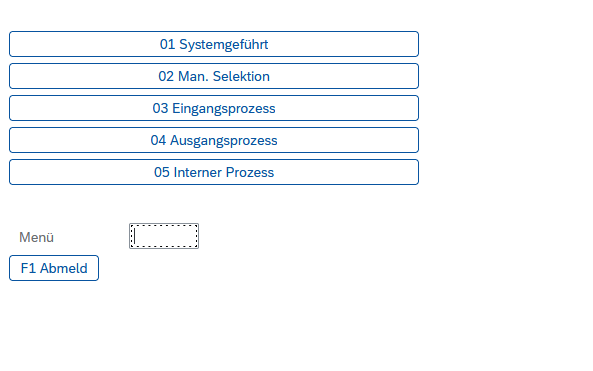
However, with custom scripts, this dialog can be adjusted as follows:
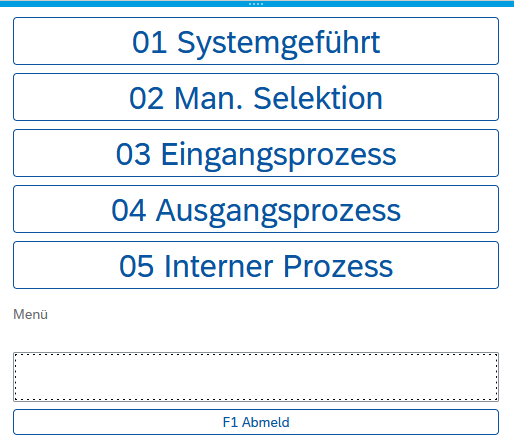
Now, font size, button height, and input field width dynamically adapt to the screen size. This makes the dialog easier for users to operate even on a tablet:
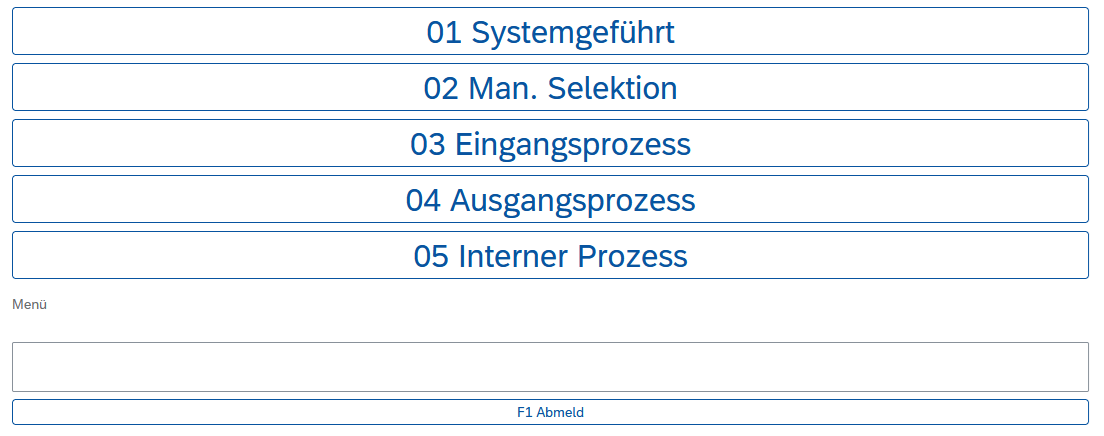
The script used can be selected as an example in the Code Editor (category SAP/ITS/Fiori Optimization). The following code can also be tested directly in the browser on a laptop.
What the script does: It targets SAP RFUI's #userpanel container and overrides the fixed pixel sizes with relative units (rem). Key changes:
- All buttons and input fields get
height: 3remandfont-size: 1.25rem- scales with the device's base font size - Widths are set to
100%to fill the available screen width - Fixed
margin-leftvalues are removed so elements are no longer off-center on narrow screens
CSP note
If your SAP system uses a Content Security Policy, script injection may be blocked. See the CSP article for how to allow TheFlex custom scripts.
var css =
  "#userpanel > div > div { \
        position: relative !important;\
    }\
\
    #userpanel > div > div, #userpanel > div > div > div {\
        width: 100% !important;\
                               margin-left: 0px !important;\
                               height: 3rem !important;\
        line-height: 3rem !important;\
        height: unset !important;\
        margin-top: 0 !important;\
                               font-size: 1.25rem !important;\
                               text-align: left !important;\
    }\
\
    #userpanel > div > div > div > .lsRLItemCnt {\
        width: 100% !important;\
        margin-top: 0 !important;\
        height: 3rem !important;\
        line-height: 3rem !important;\
        position: relative !important;\
        margin-bottom: 0.5rem !important;\
        margin-left: 0px !important;\
    }\
     \
    #userpanel > div > div > div > .lsRLItemCnt > div {\
        height: 3rem !important;\
        line-height: 3rem !important;\
        font-size: 1.25rem !important;\
    }\
\
    input {\
        height: 3rem !important;\
        font-size: 1.25rem !important;\
    }\
\
    #userpanel > div > div > div > div, #userpanel > div > div > div > div > span, , #userpanel > div > div > div > div > span > label {\
        text-align: left !important;\
    }\
\
    .lsLabel--root .lsLabel { \
        font-size: 1.25rem !important; \
    }";

var head = document.getElementsByTagName("head")[0];
var s = document.createElement("style");
s.setAttribute("type", "text/css");
s.appendChild(document.createTextNode(css));
head.appendChild(s);